Coached every step
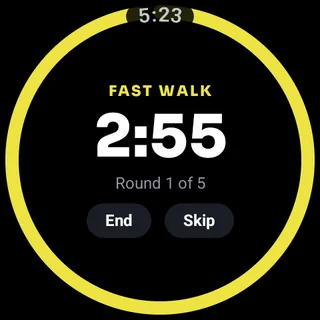
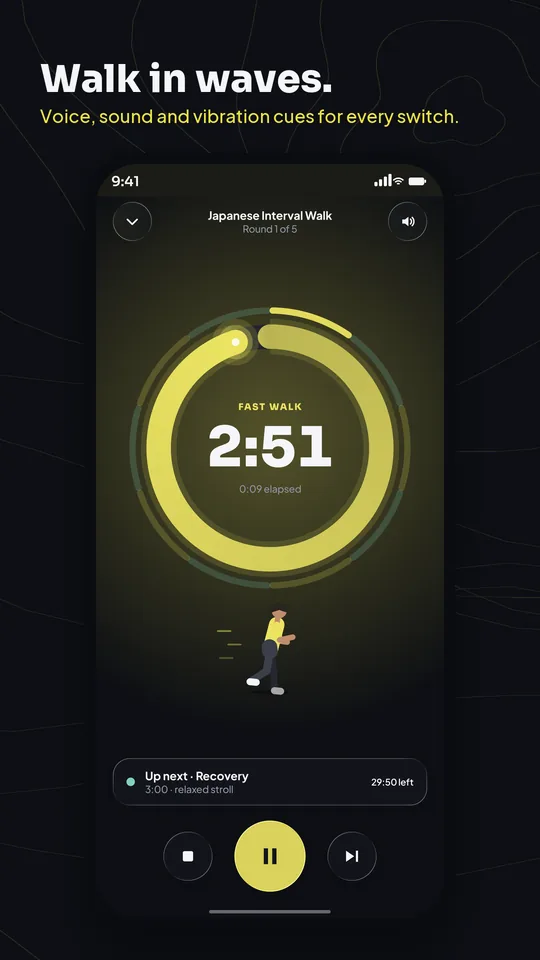
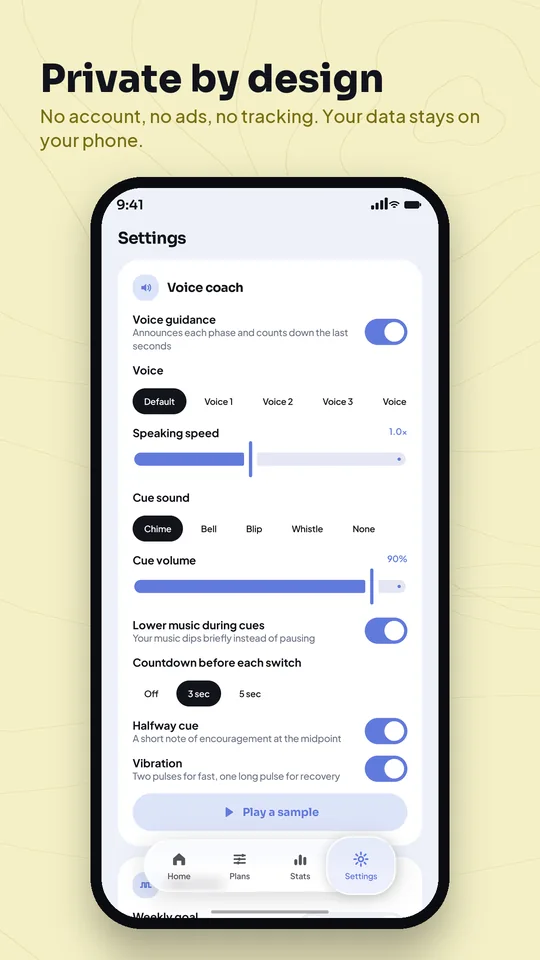
A friendly voice calls each phase and counts down the last seconds. Pick the voice, the speed and the cue sound. Your music keeps playing and only dips while the cue speaks. Two buzzes mean speed up, one long buzz means ease off.
Three minutes brisk, three minutes easy. Pace Pulse coaches Japanese walking with voice, sound and a buzz on the wrist, so you never need to look at your screen. Just walk.
How it works
Interval walking swaps one long steady walk for waves of brisk and easy effort. Pace Pulse handles the clock and talks you through every switch. Scroll through a whole walk.
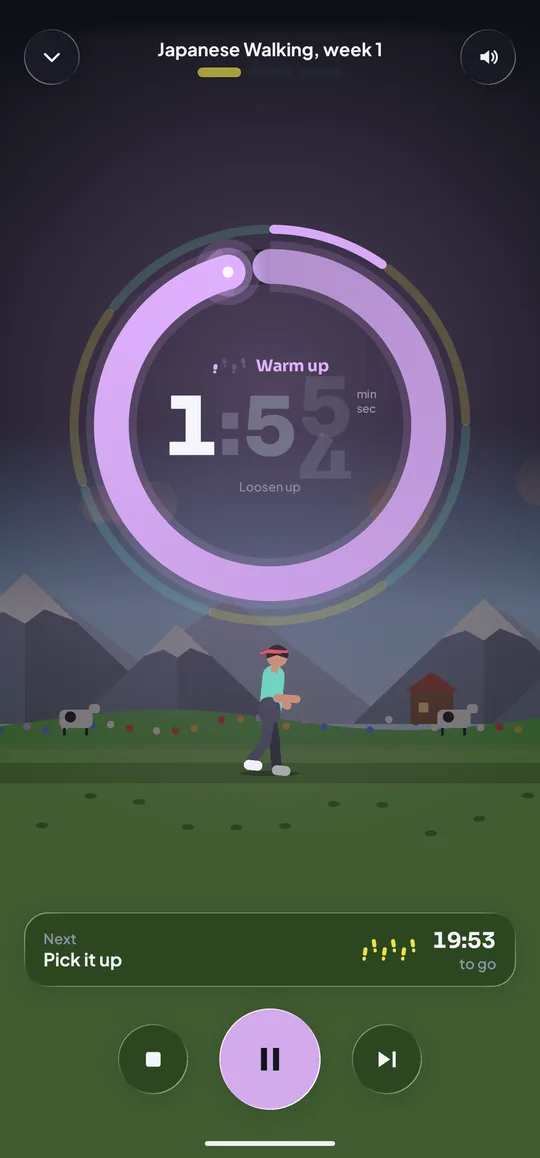
Let's go. Warm up at an easy pace for 3 minutes.
Pace Pulse counts you in and tells you what is next.
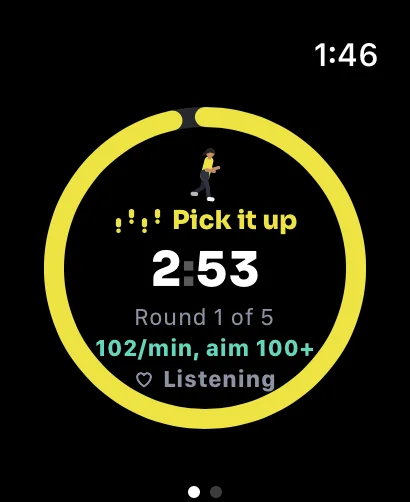
Fast walk. Pick up the pace for 3 minutes.
Brisk enough that you can talk, just not sing. Two buzzes on your wrist mean speed up.
Recover. Easy pace for 3 minutes.
Three easy minutes to get your breath back. One long buzz means ease off.
Halfway there. Keep it up.
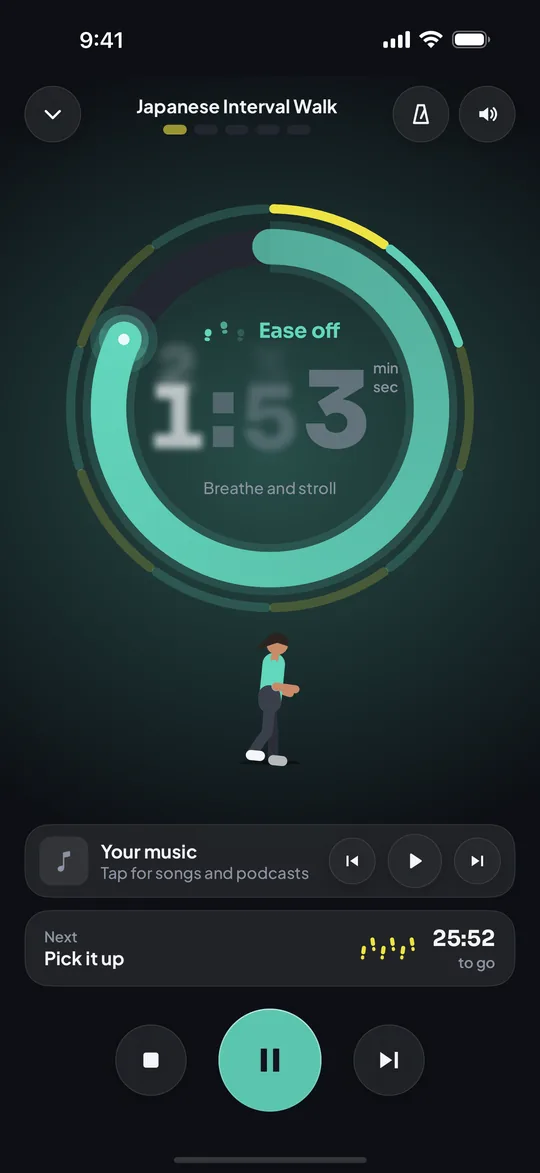
Your music keeps playing and only dips while the coach speaks. Screen off, phone in your pocket.
Last round! Fast walk. Pick up the pace for 3 minutes.
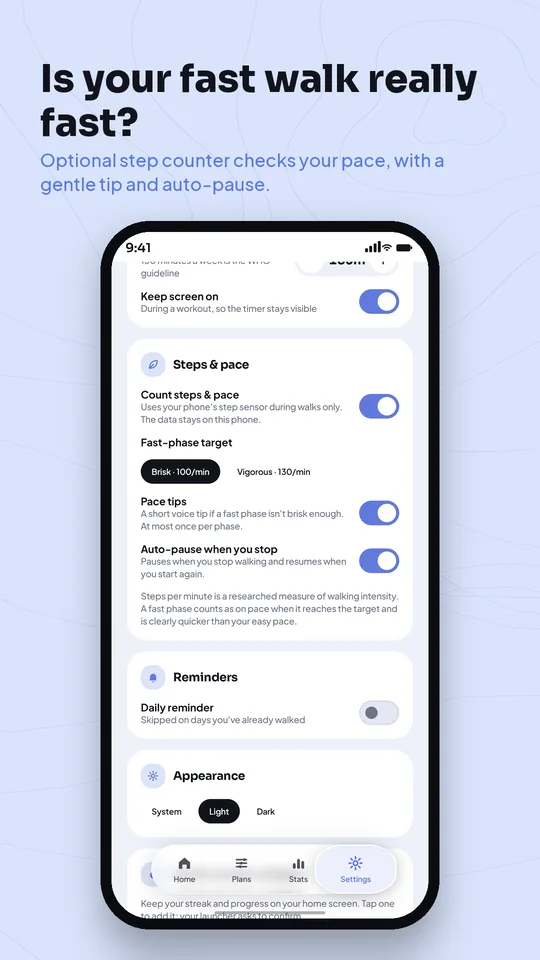
Optional step counting checks you are really brisk: about 100 steps a minute or more.
Cool down. Slow and easy for 3 minutes.
Five rounds of fast and easy, and you have walked 30 minutes.
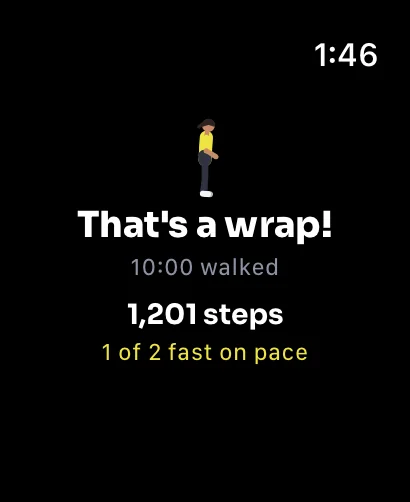
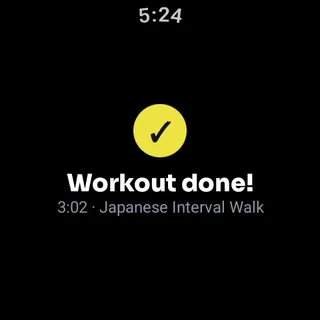
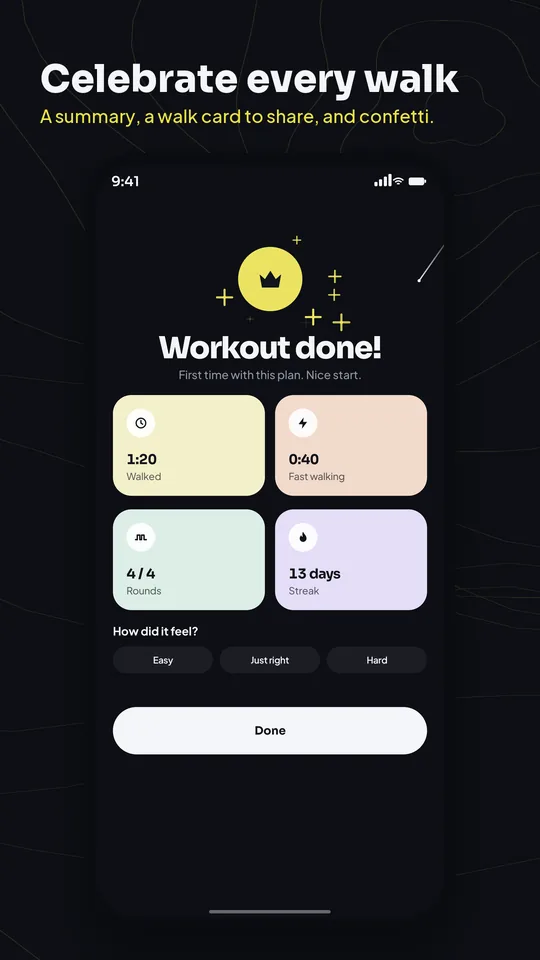
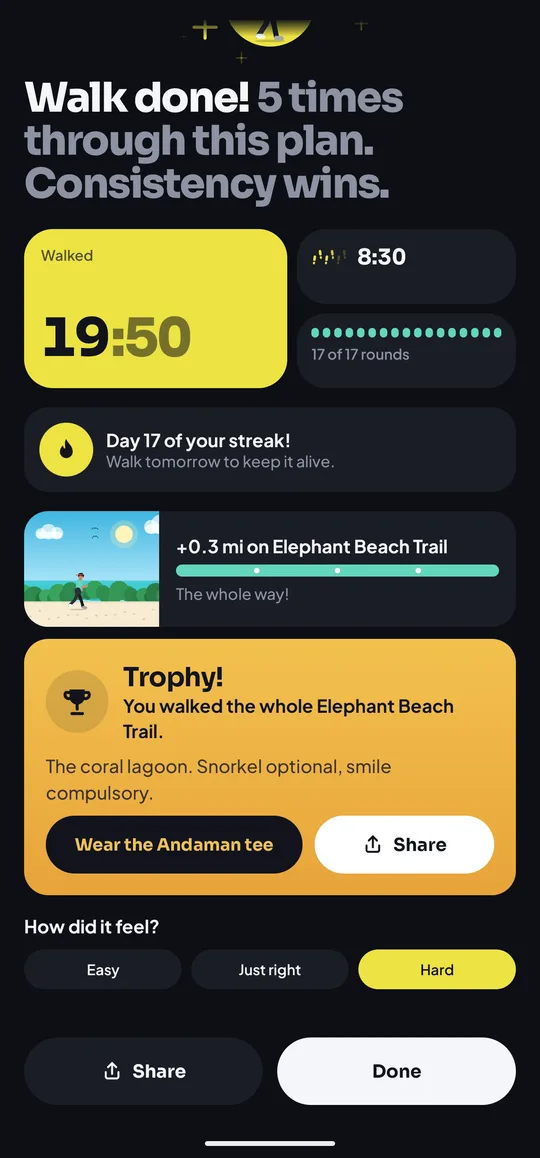
Workout complete. Great job!
Your streak grows, your weekly ring fills, and your trail moves on.
Minutes brisk, then minutes easy. The classic Japanese walking rhythm, repeated five times, from researchers at Shinshu University in Japan.
Steps per minute is the research backed sign of a brisk, moderate intensity walk. Pace Pulse can check yours.
Minutes a week of moderate activity is the WHO guideline. Your weekly ring fills toward it.
Pace Pulse is a fitness timer, not a medical device. Check with your doctor before starting a new exercise programme.
Features
A friendly voice calls each phase and counts down the last seconds. Pick the voice, the speed and the cue sound. Your music keeps playing and only dips while the cue speaks. Two buzzes mean speed up, one long buzz means ease off.
Optional step counting shows your steps per minute and nudges you if a fast phase drifts slow.
The phase and time left on your Lock Screen and in the Dynamic Island on iPhone, with pause, skip and end in the notification on Android. Auto pause waits at crossings.
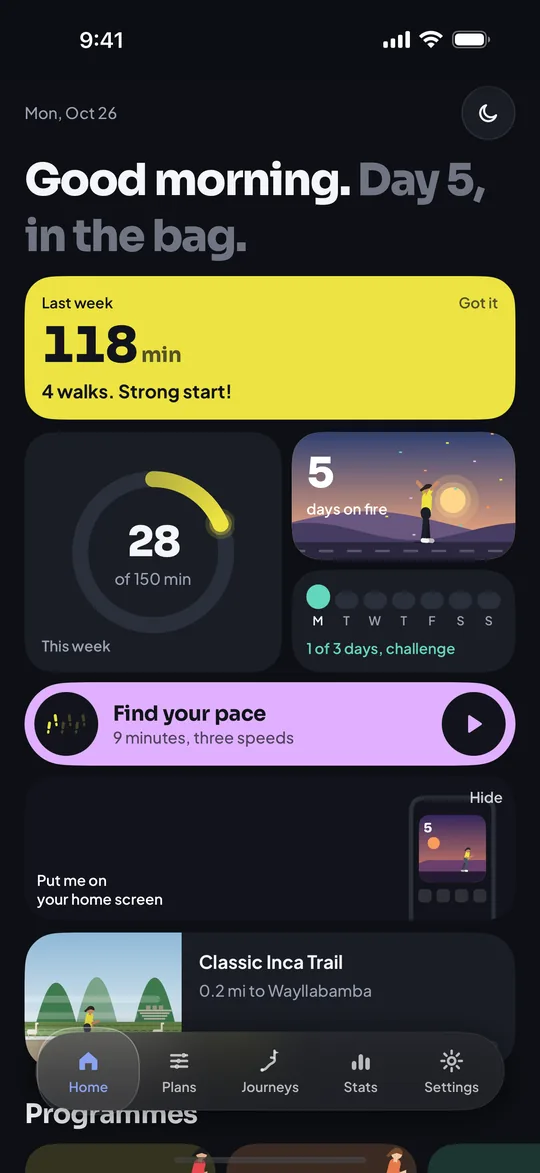
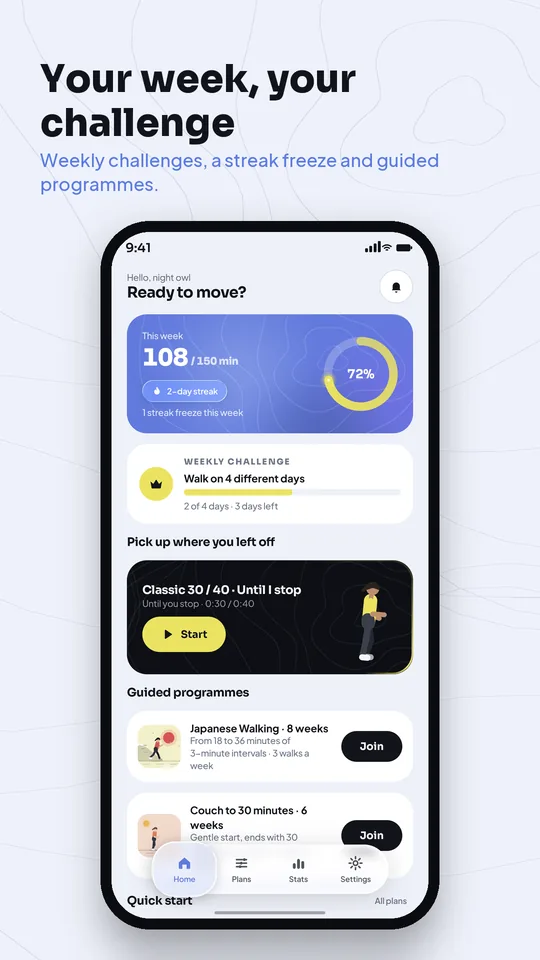
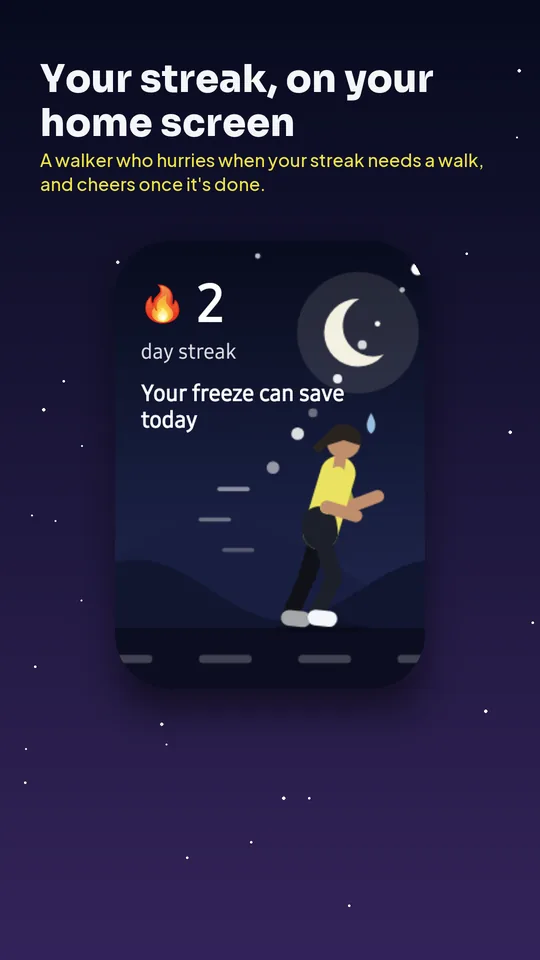
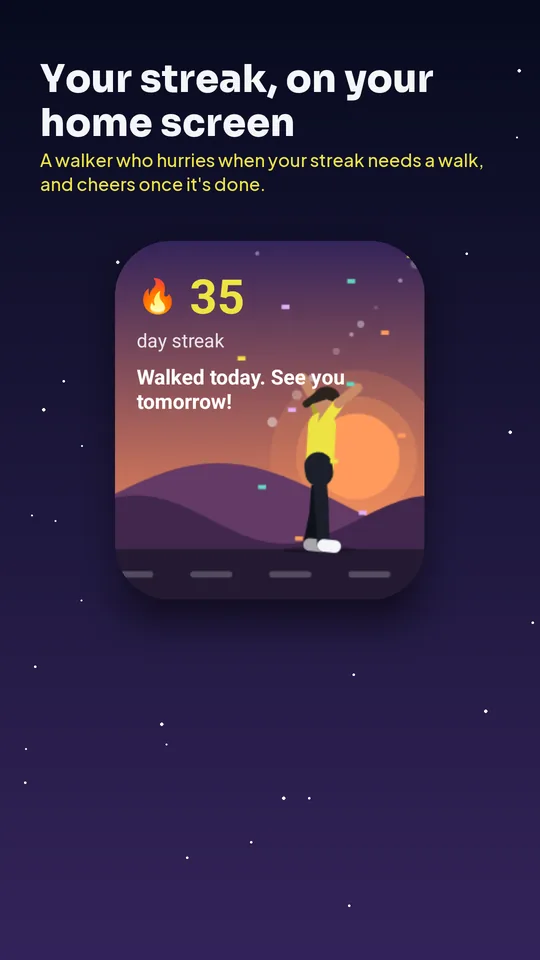
Your walker hurries across the Home Screen when the streak needs a walk, and cheers once it is done. Your week, day by day, at a glance.
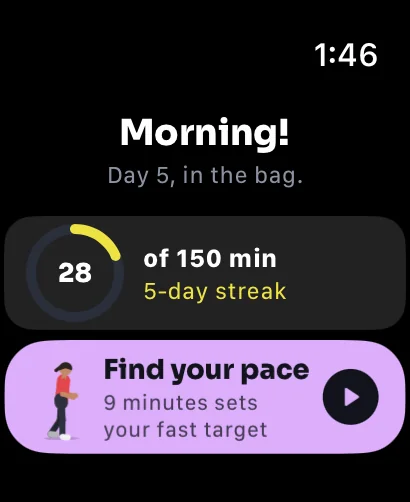
On your watch, see heart rate zones as you walk, or try a Zone 2 Walk. On Apple Watch, walks save to Apple Health as workouts.
Back up your walks, plans, journeys and settings to one file, and restore it on your next phone, whichever kind it is. No account, no cloud, your file.
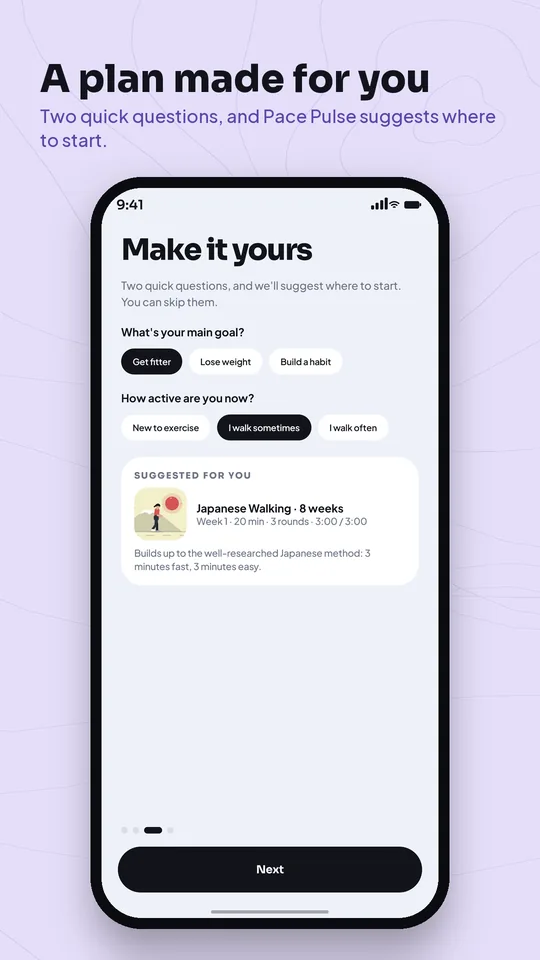
Guided programmes like Japanese Walking in 8 weeks, Couch to 30 or Gentle Steps, ready made walks, treadmill plans with speed and incline, or build your own block by block with rest stops and repeats. Share any plan with a link or QR code.
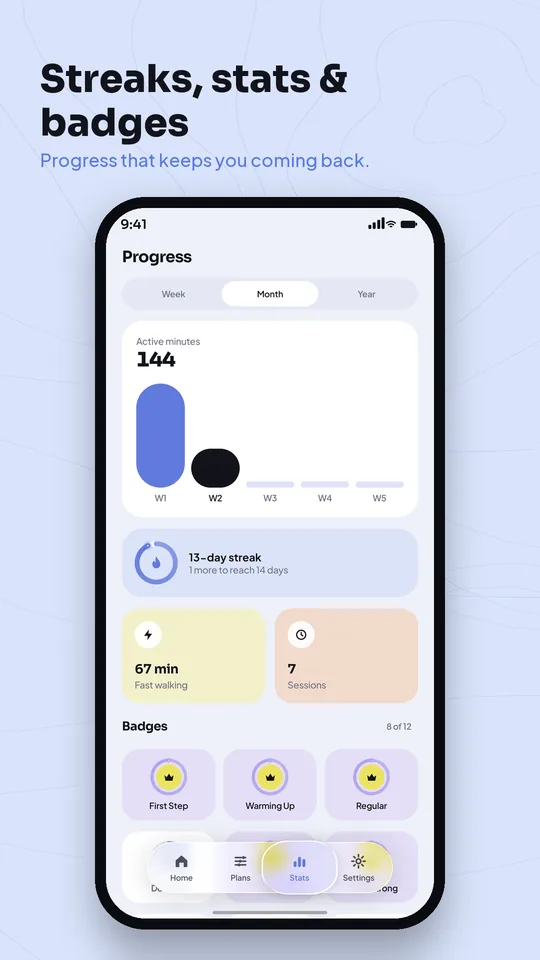
Daily streaks with a weekly freeze, a fresh challenge every Monday, badges, charts and a monthly recap to share.
Songs on your phone, podcasts inside the app, or your own music app. Walk to the beat: a soft tick at your own fast pace.
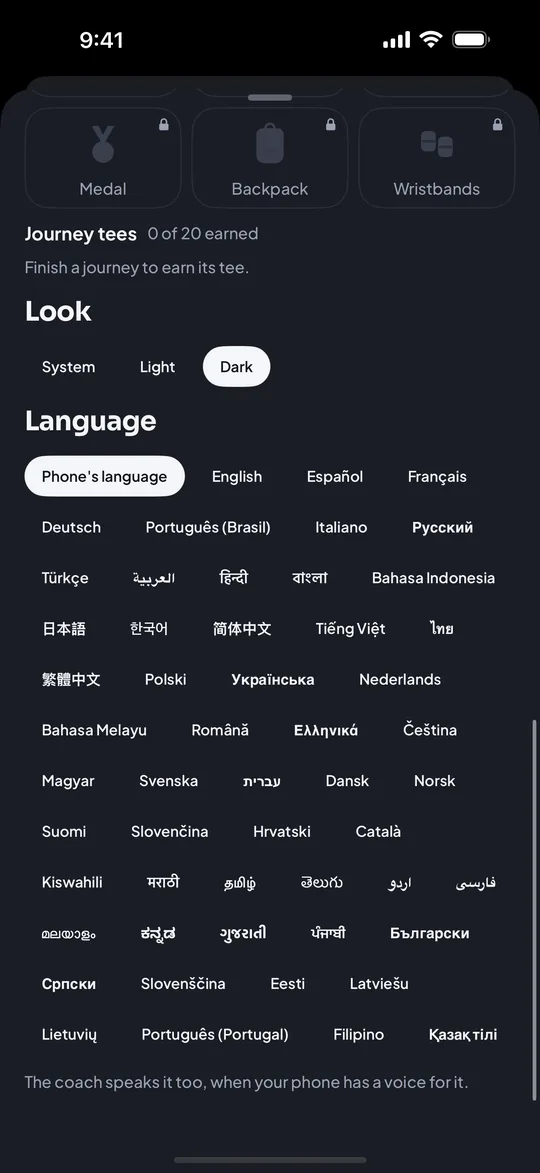
53 languages, from Español to മലയാളം, and the coach speaks them too.
Wear a vest or carry a backpack? Tag the weight when you finish, and Pace Pulse remembers it for next time. Stats shows your weighted walks each week.
Rate each programme walk Easy or Hard. Breezing through? Pace Pulse offers to move you up. Tough week? Repeat it, no guilt.
A peek inside
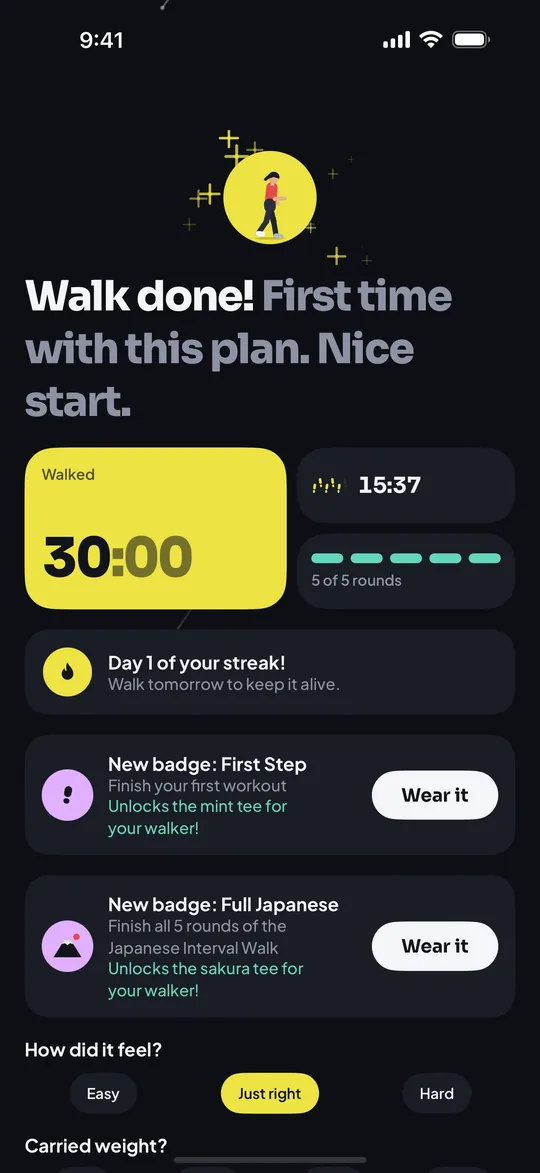
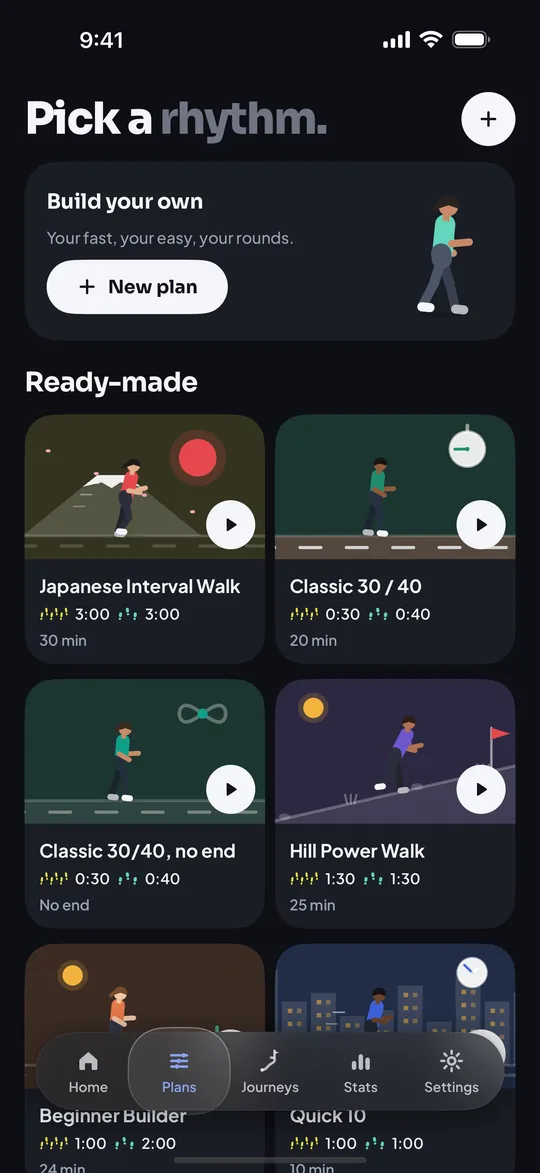
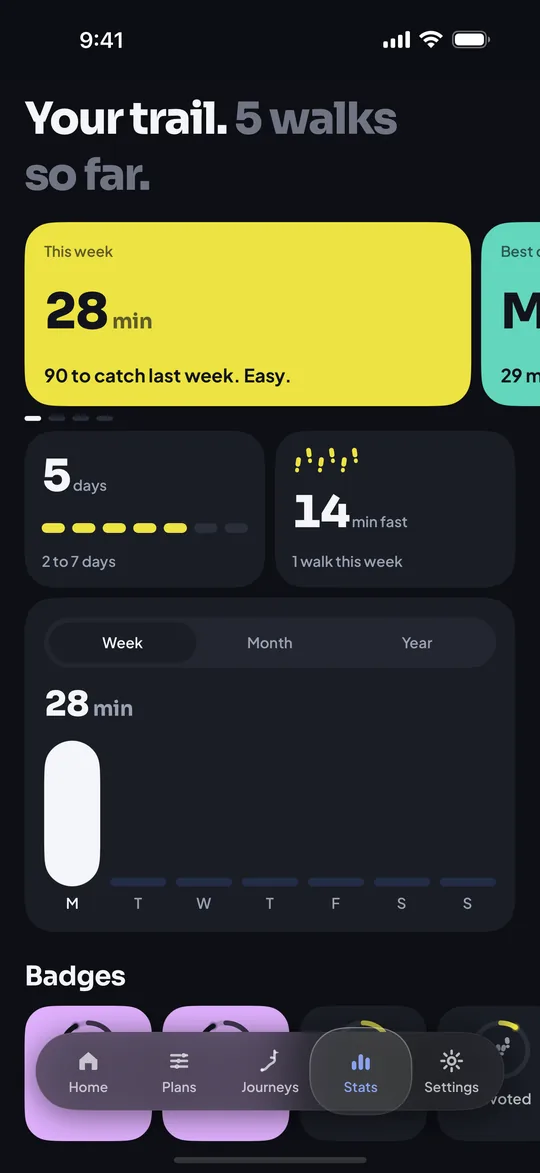
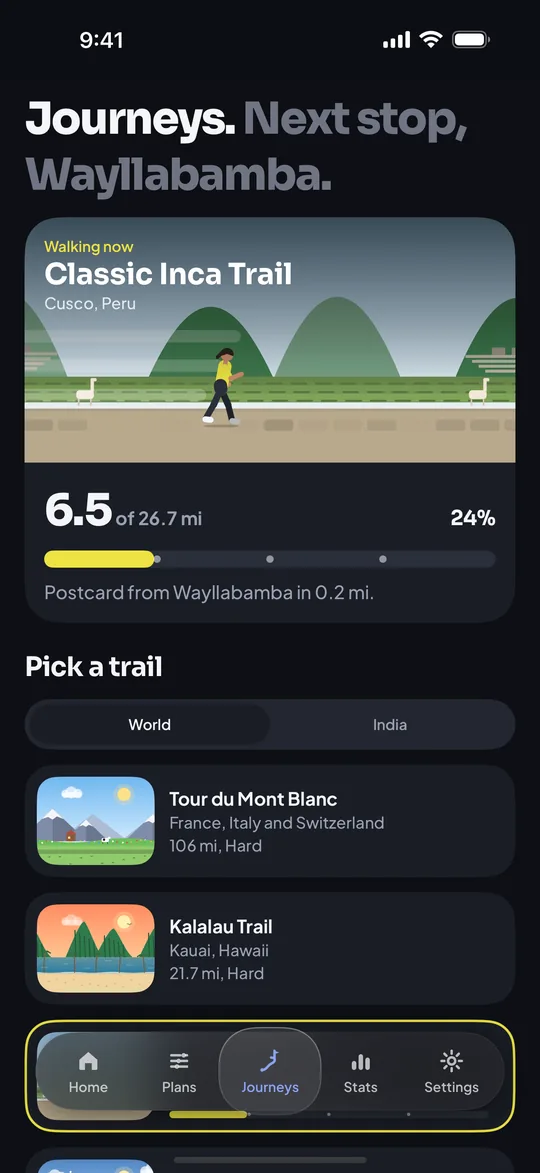
Journeys
Pick a famous trail and every walk moves you along it, at its real length. Your walker strolls the trail behind your timer, postcards arrive on the way, and the finish brings a trophy.
Apple Watch and Wear OS
The Pace Pulse watch app runs on its own. Tap start on your wrist, feel the tap, and walk.
Free means free
Plenty of walking apps start with a free trial and end with a monthly bill. Pace Pulse is free, every feature, on every device.
| What you get | Pace Pulse | Typical paid app |
|---|---|---|
| Price | Free, every feature | Trial, then a subscription |
| Account | None needed | Sign up first |
| Ads | None, ever | Often, unless you pay |
| Your walks | Stay on your devices | Kept on their servers |
| Watch app | Included | Often a premium extra |
| Switching phones | One file, iPhone or Android | Log in again |
Your walks, steps and settings never leave your devices. Only the optional podcast player goes online, and it sends nothing about you. Read the privacy policy
Get the app
On Android, Pace Pulse is in testing on Google Play. Join the testers, get the full app free, and help it reach everyone. Three taps, about a minute.
Sign in with the Google account you use on Play, then tap Join group. Your email stays private.
Join the groupOpen the testing page and tap Become a tester. If it says it isn't available yet, give it a minute after joining.
Open testing pageGet Pace Pulse from Google Play on your phone. Got a Wear OS watch? Install it there too from Play on the watch.
Open Google PlayPlease keep the app for at least 14 days: Google lets an app go public once enough testers stay with it that long. Feedback is gold: send it to support@getpacepulse.app.
On iPhone? Pace Pulse for iPhone and Apple Watch is on the App Store now: Lock Screen and Dynamic Island, widgets, Apple Health and everything above. Free, no testing steps needed.

Guides and FAQ
On iPhone, get it from the App Store. On Android, it's in testing on Google Play. Follow the three steps in Get the app: join the testers group, tap Become a tester, then install from Play. It's free. On iPhone and Apple Watch, just download it from the App Store.
Yes. Pace Pulse is free on the App Store and Google Play, with no ads, no subscription and no account.
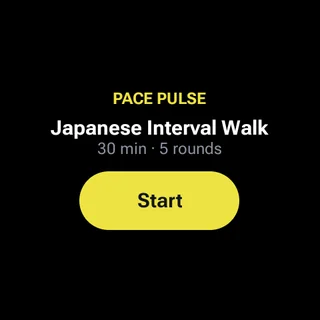
Japanese walking, also called Interval Walking Training (IWT), was developed by researchers at Shinshu University in Japan. You alternate 3 minutes of fast walking with 3 minutes of easy walking, five times, for a 30 minute session. Pace Pulse times every switch and tells you when to change pace. Read the full Japanese walking guide.
Pick a famous trail, like the Inca Trail or Kashmir Great Lakes. Every walk you do moves you along it at its real length, measured from your steps or your walking time. Postcards arrive on the way and the finish brings a trophy. If you prefer just the walking, choose the Calm style and journeys stay out of sight.
Yes. Play songs saved on your phone, or search and play podcasts inside Pace Pulse. On Android you can also play, pause and skip any music app right from your walk. Voice cues briefly lower your music instead of stopping it, and an optional beat at your own pace keeps your fast phases on target.
Yes. Pace Pulse has a ready-made 21 minute Gentle Walk and a 6 week Gentle Steps programme: easy walking with a rest to stand or sit every few minutes, made for older walkers and anyone easing back in. You can also make any plan Custom and add Rest blocks wherever you like. Pace Pulse is a timer, not medical advice, so if you have a health condition, check with your doctor first. Read the gentle walking guide.
Yes. Switch any plan to Treadmill and set the speed and incline for each part; the coach reads them out as each part starts. Incline Intervals and Incline Climb 30 (the 12-3-30 workout: 12% incline, 3 mph, 30 minutes) are ready made. Read the incline treadmill guide.
Yes. Open any plan and tap Share to send a link or show a QR code. It opens in your friend's Pace Pulse, ready to save. The whole plan is inside the link, so nothing is uploaded and no account is needed.
53 of them, including Spanish, Hindi, Portuguese, Arabic, Japanese, Malayalam, Tamil, German and French. The voice coach, notifications, widgets and the watch app follow the language too. Pick yours the first time you open the app, or any time in Settings under You and look.
Yes. When a walk ends, tag the weight you carried, from 2.5 to 10 kg (or 5 to 20 lb). Pace Pulse remembers it for your next walk, and Stats shows your weighted walks for the week.
A steady walk at an easy, conversational effort. On Apple Watch or a Wear OS watch, the Zone 2 Walk sets your zone from your age or resting heart rate and gives a soft buzz if you drift above or below it. It is a fitness guide, not medical advice.
Yes. The watch app runs on its own, so you can leave your phone at home. It has a full screen ring timer, haptic cues, steps and optional heart rate zones. On Apple Watch your walks save to Apple Health as workouts, with complications and a Smart Stack card; on Wear OS there is a tile and a watch face complication. It needs watchOS 10 or Wear OS 3 or newer.
Yes. The timer keeps running with the screen off, and your music keeps playing. It dips briefly while the voice cue speaks.
No. The app has no account, no ads and no analytics, and your walks stay on your devices. Only the optional podcast player goes online, and it sends nothing about you.
iPhone with iOS 17 or newer, and Android phones running Android 8.0 or newer. The watch app runs on Apple Watch with watchOS 10 or newer and on Wear OS 3 or newer.
Lace up, tap start, and let Pace Pulse do the counting.